Meet Horizon UI · 15/17: Customization — Config-Driven Layer Templates
This is the fifteenth post in the Meet Horizon UI series, and it opens Act 5 — make it yours & adopt. Everything you’ve seen across this series — the per-layer dashboards, the overviews, the topology, the 3D map — is not hard-coded. It’s all driven by templates, and Horizon ships the editor for them. This post is that editor: change any dashboard in a local draft, preview it, and publish it to OAP so the whole org sees it.
Everything is a template
Open Admin → Layer dashboards and every layer the backend reports is there to configure. The editing model is the important part, and it’s the same everywhere: Save (local) keeps your edits in this browser only — it never touches the server; the live, shared version lives on OAP; and the bundled JSON Horizon ships is just the seed and a read-only fallback. A status badge tells you where each layer stands — synced, diverged (the bundle differs from what’s live on OAP, and OAP wins at render), or local (unpublished edits). Reset to ▾ reloads Bundled or Remote into the editor, and Preview ▾ opens the real page rendered from your Local, the Bundled, or the Remote version.
A layer’s setup is more than charts: you choose which sub-views it exposes (Service, Instances, Topology, Deployment, Traces, Logs, profiling…), its display alias, and even the menu nouns — the Istio mesh layer below renames “Instances” to Sidecars.
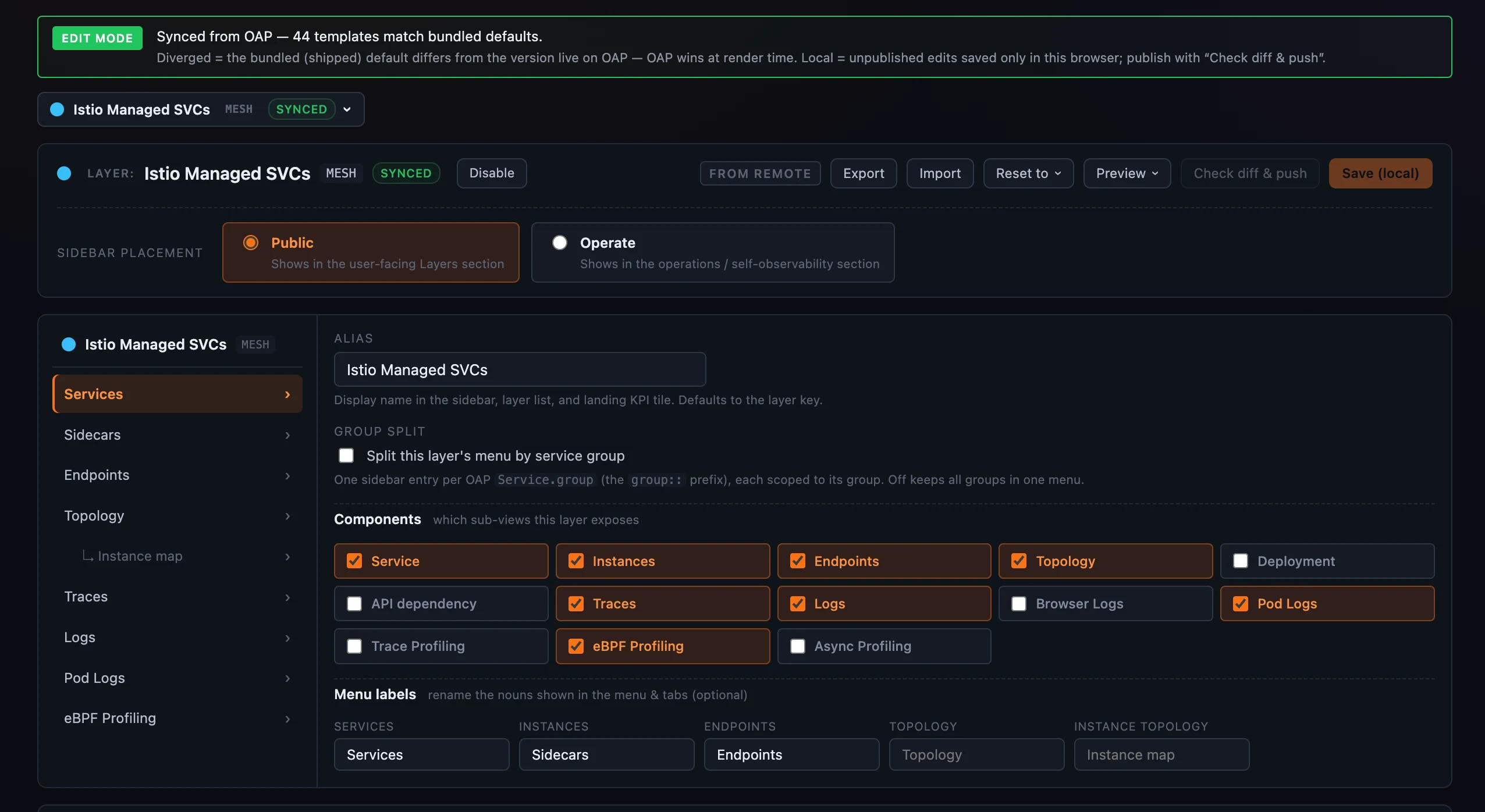 Figure 1: The Layer dashboards admin — every layer is a template. The header carries the whole model: Save (local) in your browser, Reset to / Preview the Bundled or Remote version, and Check diff & push to publish. Below, the layer chooses which sub-views it exposes, its alias, and renamed menu nouns (here Sidecars for instances).
Edit the widgets
Inside each scope, the dashboard is a 12-column grid you edit directly — drag a header to reorder, drag a corner to resize, + Add widget to add one. Click any widget and its editor drawer opens: the MQE expression(s) that feed it, the widget type (line / top / table / card…), title, unit, and a Visible when gate that hides the widget unless an expression has a value or an entity attribute matches.
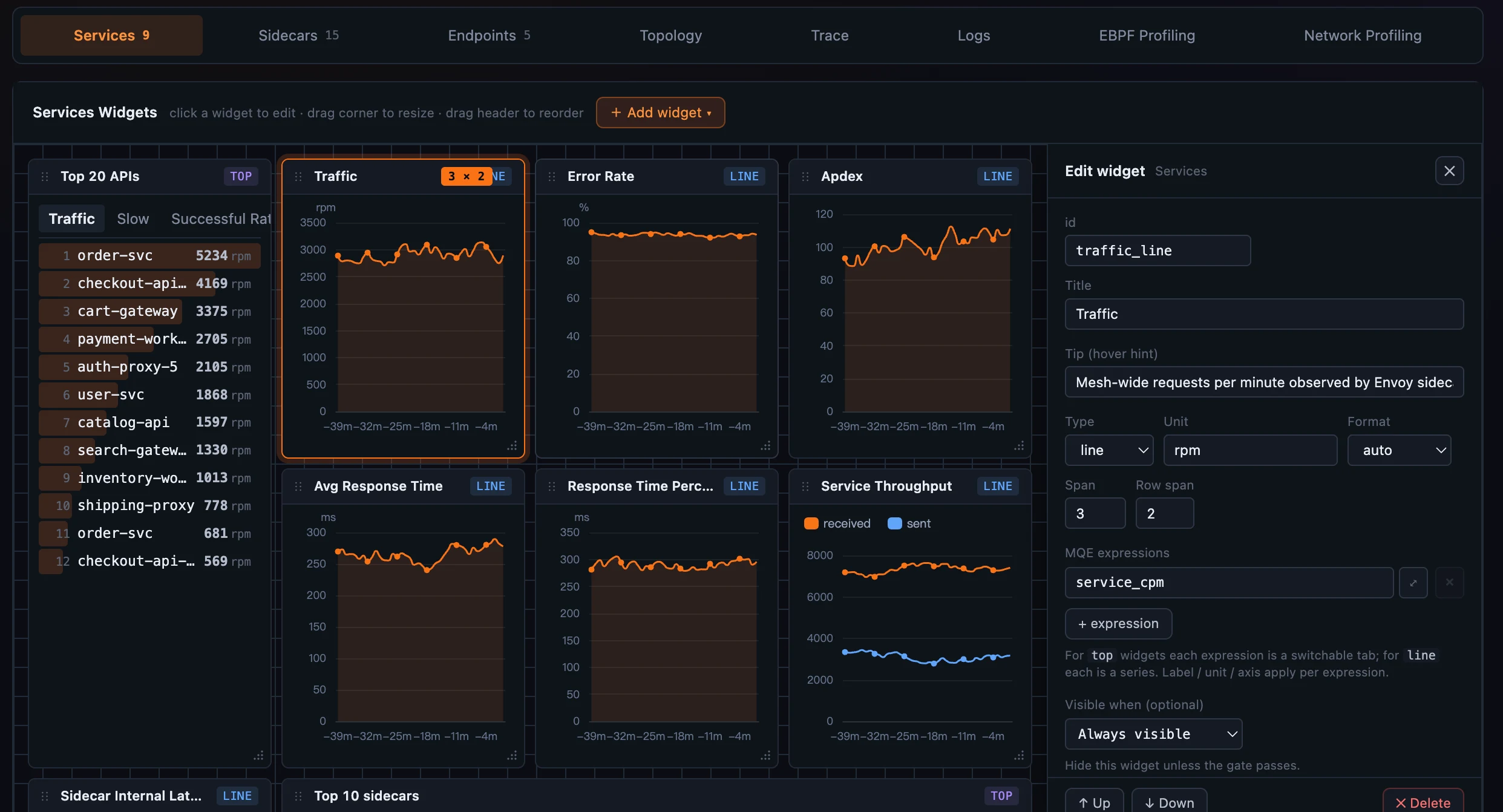 Figure 2: The widget canvas — a 12-column grid you drag to reorder and resize. Click a widget and its drawer opens: the MQE expression(s), type, title, unit, and a Visible when gate.
Publish, safely
Nothing you do reaches other users until you publish — and publishing shows you exactly what will change first. Check diff & push opens a side-by-side diff (the live remote on the left, your local draft on the right); only then, on Confirm push, does the draft replace the live version for everyone. The button is enabled only when your local actually differs from remote.
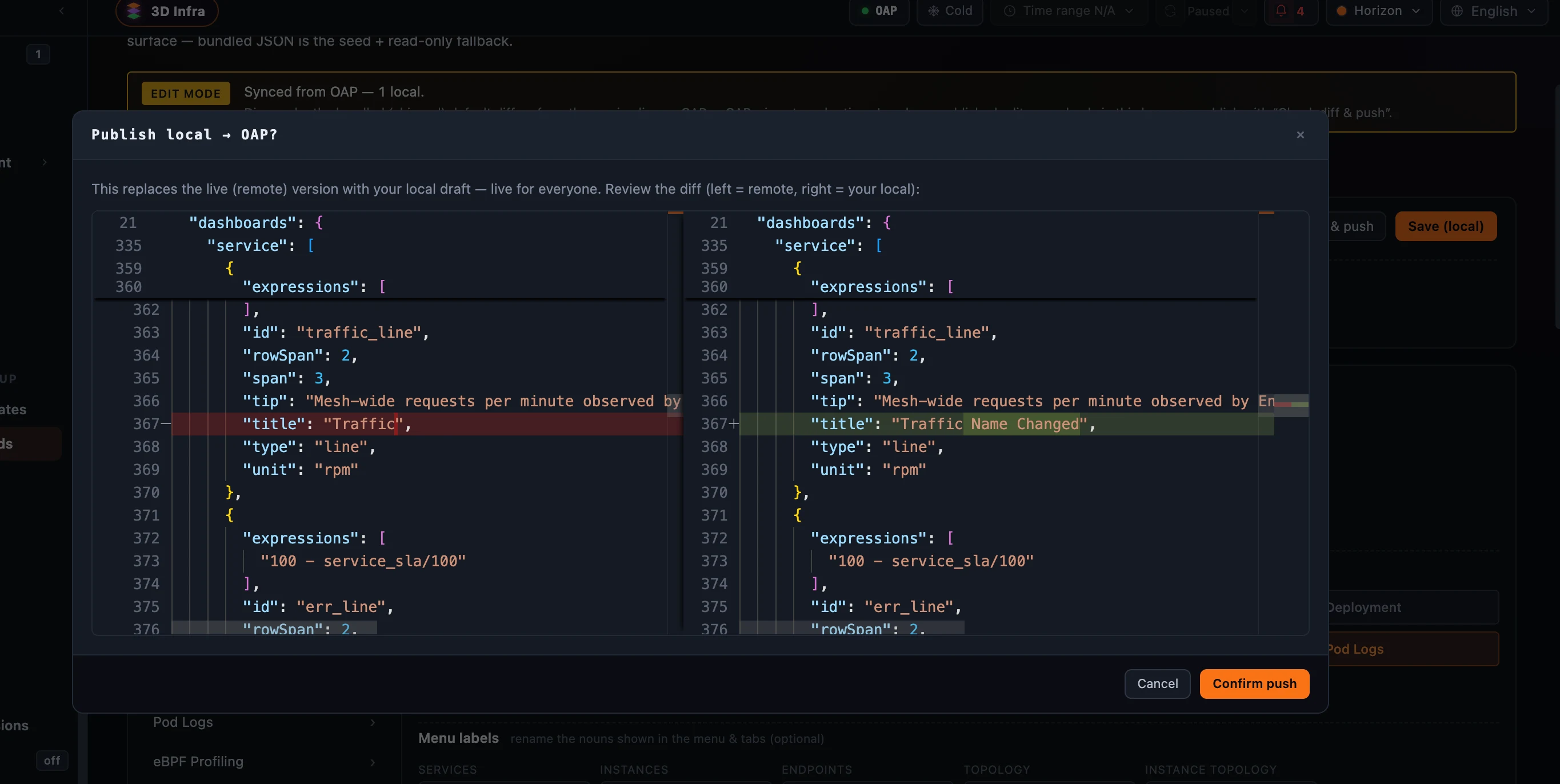 Figure 3: Check diff & push — before a draft goes live for everyone, a side-by-side diff (remote left, your local right) shows exactly what changes. Here a widget title is renamed; nothing publishes until you Confirm push.
This is also how you add a layer. A layer the backend reports but Horizon ships no template for opens on a blank default — configure its components and widgets, Save, and that first push publishes the template to OAP. No per-layer JSON has to be shipped for a layer to be fully configurable.
Overviews, and portability
The Overview templates editor is the same model on a 12-column canvas that mirrors the live grid (with mock data — the real page uses real data). + New dashboard writes a local draft; Delete is a soft-disable (OAP has no hard delete). And every template admin page — layer dashboards, overviews, the 3D-map config, translations — carries Export and Import: Export downloads the in-use version (what users actually render) as a JSON file for backup, sharing, or moving a dashboard to another OAP; Import reads a JSON file, validates it, and loads it as a local draft to preview and push. Import never writes OAP directly.
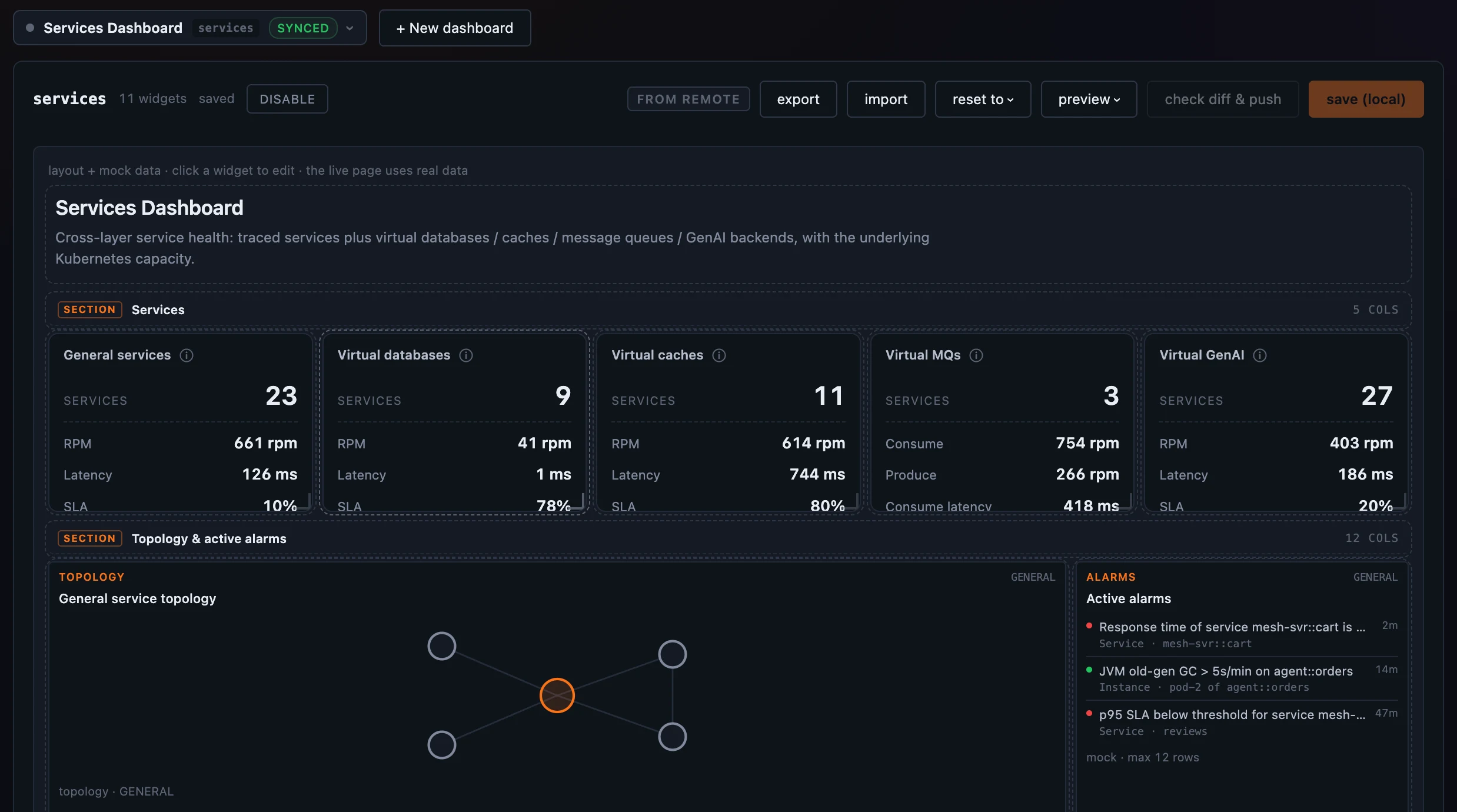 Figure 4: Overview templates are the same model — a 12-column canvas with mock data, + New dashboard as a local draft, and Export / Import to move a dashboard between OAP backends.
Where it runs
Editing and previewing are entirely browser-local — no OAP call happens until you publish. Publishing writes the template to OAP’s ui-template store through the admin host, which arrives with OAP 11; the bundled JSON is a seed and read-only fallback, and the OAP-published version always wins at render time. Access is role-gated: publishing layer dashboards needs dashboard:write, overviews need overview:write. For the field reference — the template shapes, the widget types, and the add-a-layer recipe — see the Layer templates, Overview templates, and Adding a new layer docs.
Next up: Localization — how those same templates speak eight languages.